
Free Photo to Sketch Outline Converter
Turn any reference photo into a clean, pencil-style outline with a live preview as you adjust the sensitivity. Generate a lightweight sketch to trace, or overlay it back onto your photo for a clearer, more segmented look before you paint. No accounts, no ads, completely free.
Sketch or Overlay
Generate a plain line-art outline for tracing, or overlay that same outline on your original photo for a segmented visual reference.
Live Sensitivity Control
Adjust thickness, detail, and strength to instantly update the outline, so you can fine-tune how much of the photo is simplified.
Print or Grid It
Export a print-ready outline on its own, or layer a scaled grid on top of it to transfer proportions accurately onto your canvas.
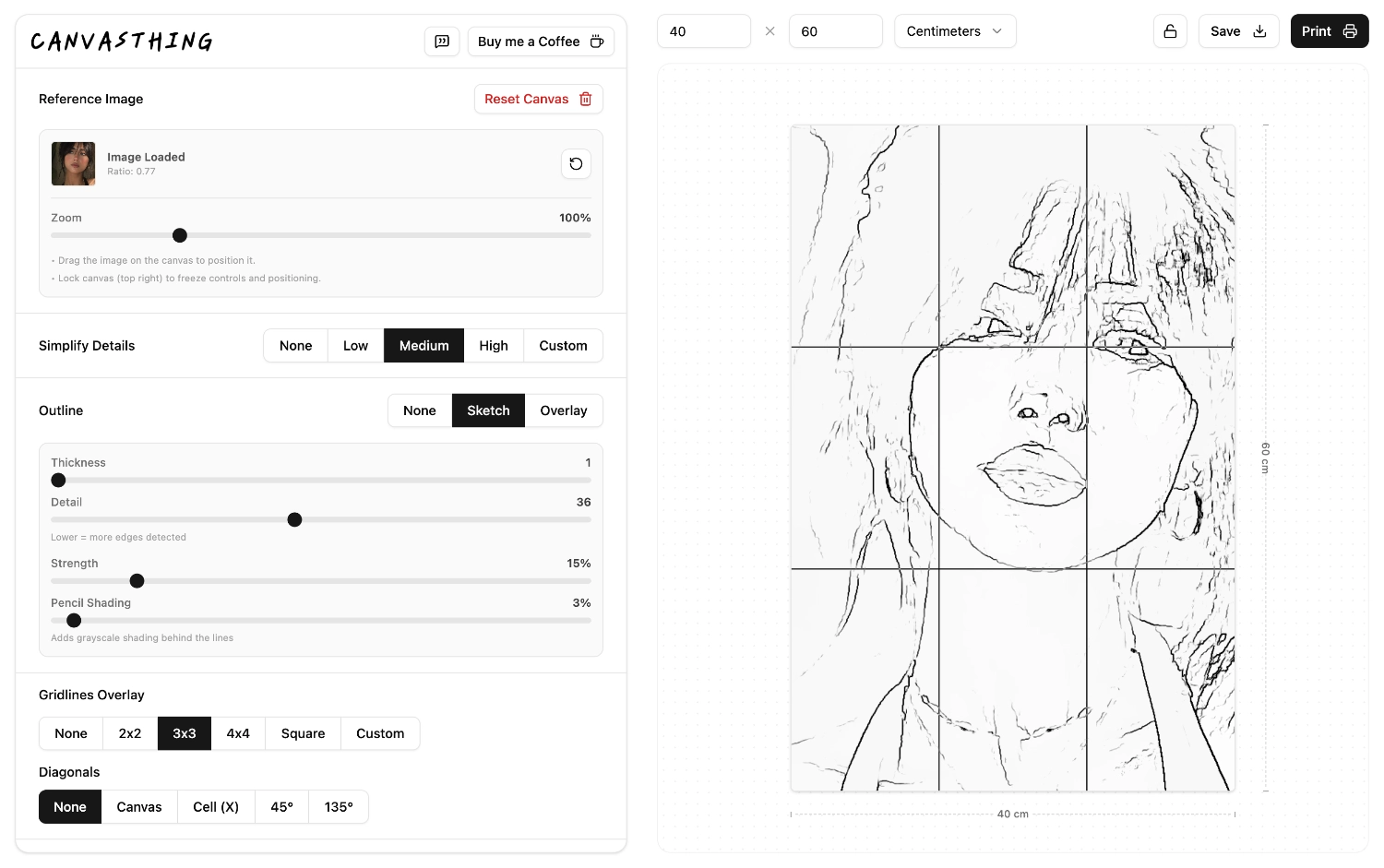
Two Ways to See Your Outline
The same edge-detection pass drives both modes, they just serve different moments in your process. Pick whichever matches what you're doing with the reference right now.
Sketch Mode
Strips everything back to plain, pencil-style lines on a bare background. This is what you want to print and trace by hand, or transfer directly onto canvas with a grid.
Overlay Mode
Draws the outline back on top of your original photo, keeping color and shading visible underneath. Useful for reading where shapes and color blocks actually sit before you commit anything to canvas.
Dial In the Outline
Every photo needs a slightly different touch. Three controls let you go from a loose, minimal outline to a dense, highly detailed one, all previewed live before you commit to an export.
Thickness
Controls how heavy or fine the traced lines appear, from delicate pencil strokes to bold, marker-style edges.
Detail
Controls how much fine texture and small internal edges are kept or smoothed away, so busy areas don't become visual noise.
Strength
Controls edge detection sensitivity, so softer, lower-contrast boundaries can be picked up or ignored.
An Outline Tells You What. A Grid Tells You Where.
A sketch outline on its own is easy to trace but easy to place wrong. Once you've generated one here, add a grid on top of it to keep every shape in proportion as you transfer it to canvas, square by square, instead of eyeballing where each line should land.
Add a Grid
Layer a scaled grid, with optional 45° or 135° diagonals, directly over your generated outline.
Simplify the Colors
Pair the outline with a simplified color-block version of the same photo to plan your palette before you paint.
Sobel Filter
See how Sobel-style edge detection turns image gradients into practical sketch outlines.
Frequently Asked Questions
It analyzes your reference photo and traces its edges into clean, pencil-style line art. Instead of shading or tracing by hand from scratch, you get an outline you can print, transfer, or paint over, generated in seconds and refined live as you adjust the settings.