
Free artist assistant app to plan your canvas
Upload your reference image and prep it for drawing or painting on physical medium. Set up custom grids, simplify complex details, and generate sketch outlines instantly: no accounts, no ads, completely free.
Launch App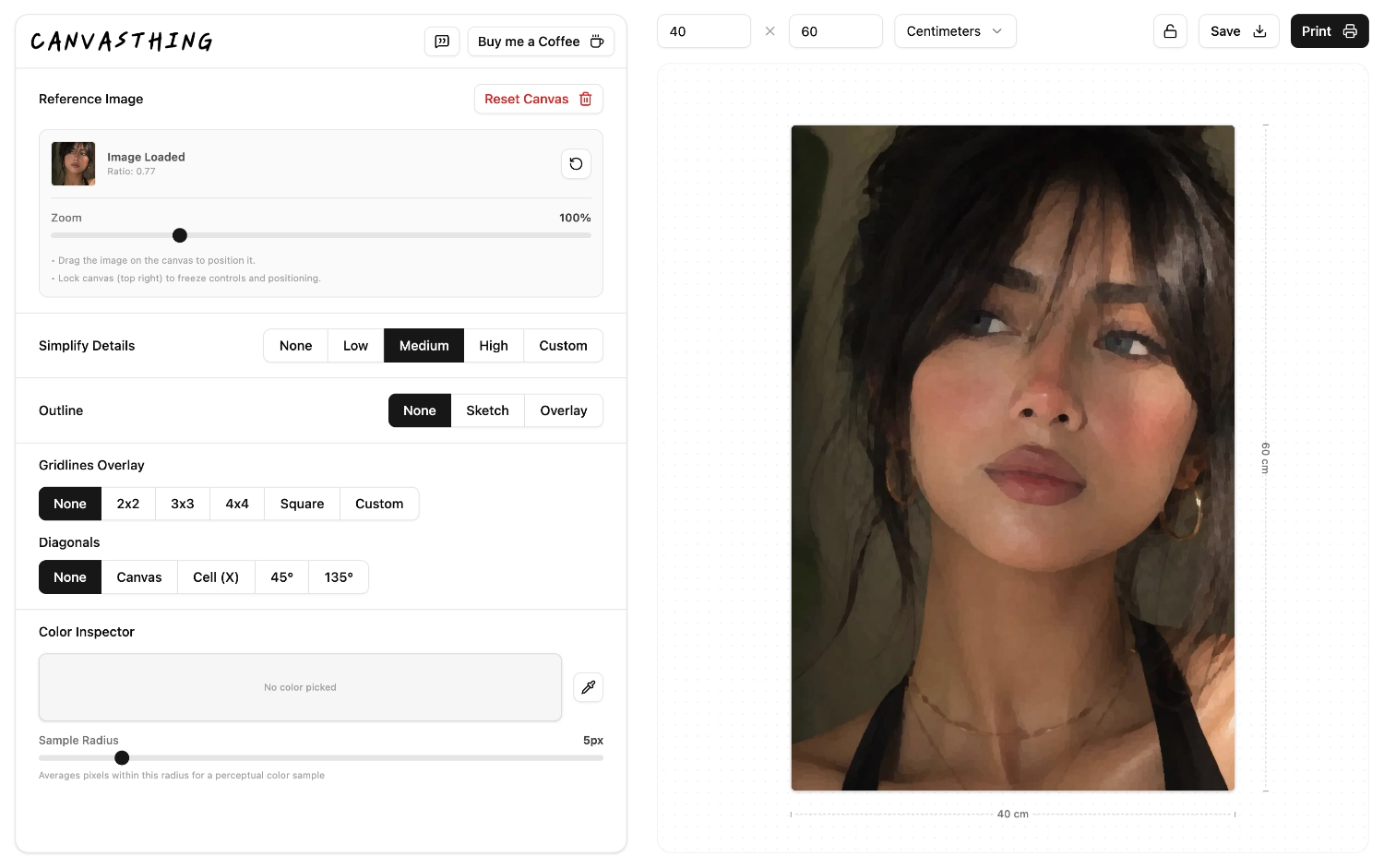
Select Size to Begin
Every physical medium starts with size. Enter your canvas dimensions in centimeters or inches before anything else, and every grid, overlay, and export stays true to scale with your real canvas.
Centralized Canvas
Import your reference photo, then crop and position it to match your canvas dimensions. From there, every grid, simplification, and outline effect applies live to one unified workspace.
Save & Print Ready
Sometimes you dont want to look at a screen. Export a print-ready file or send it straight to your printer, with every active grid, outline, and simplification effect baked directly into the image.
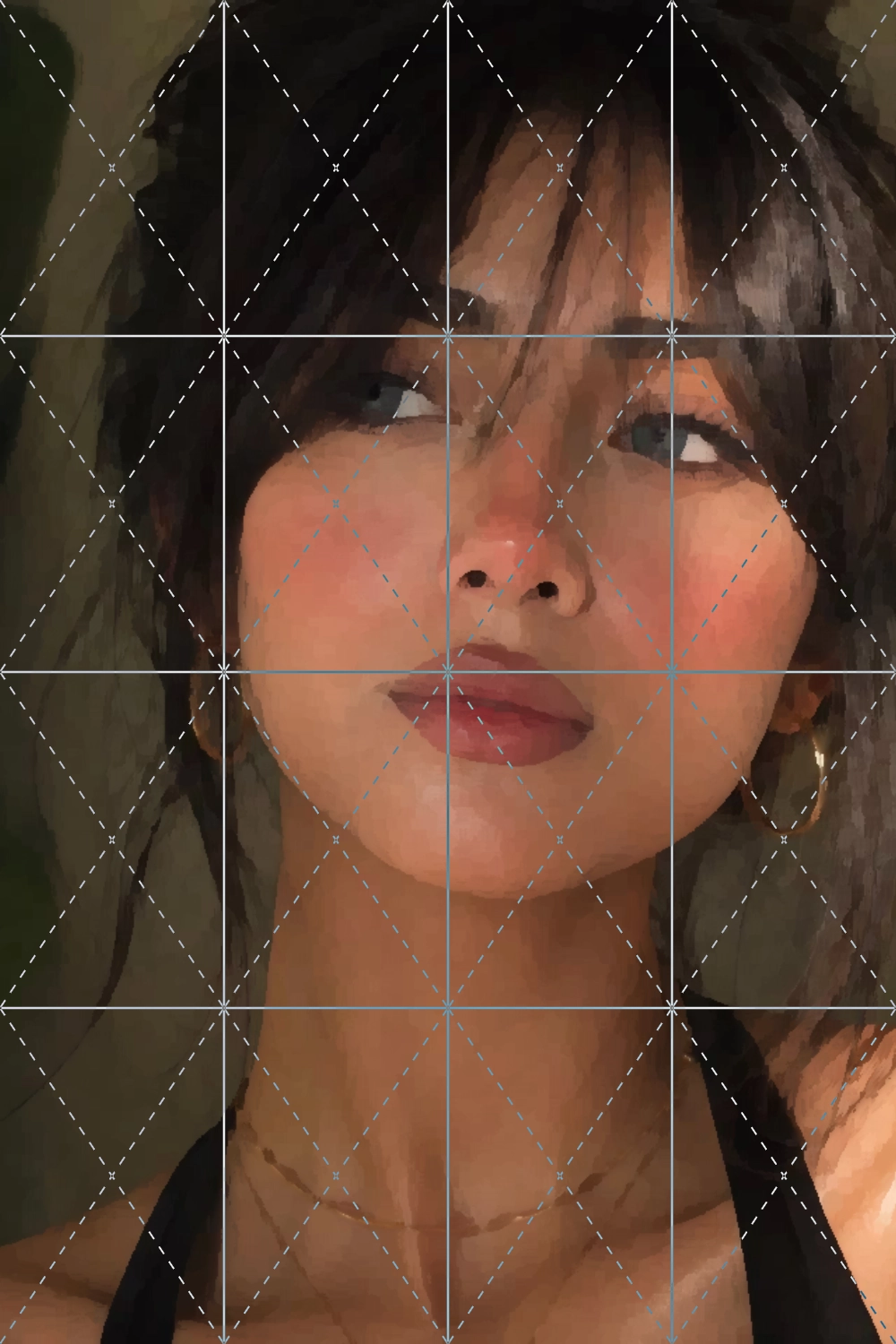
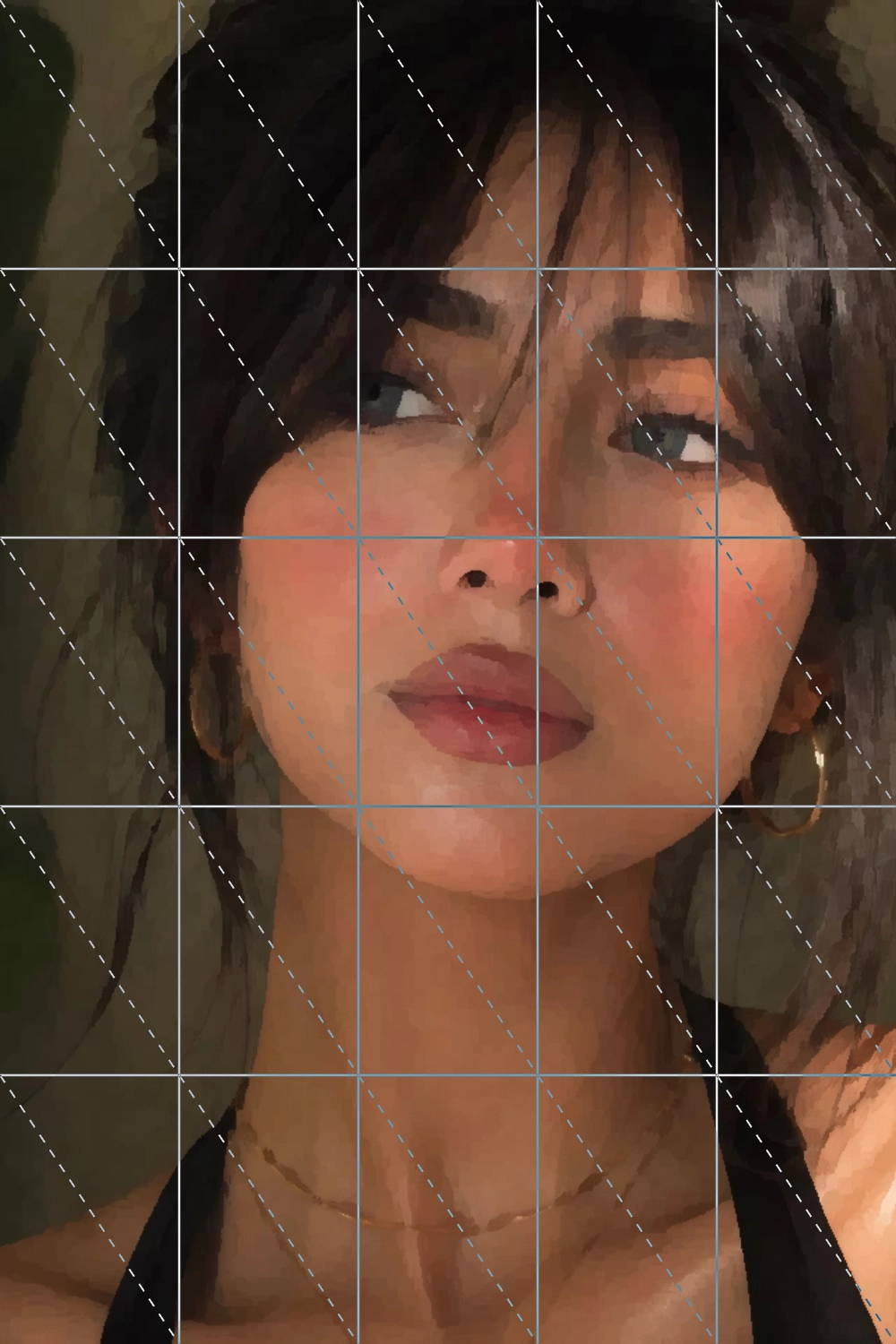
Drawing Grids to Scale Your Reference Photos.
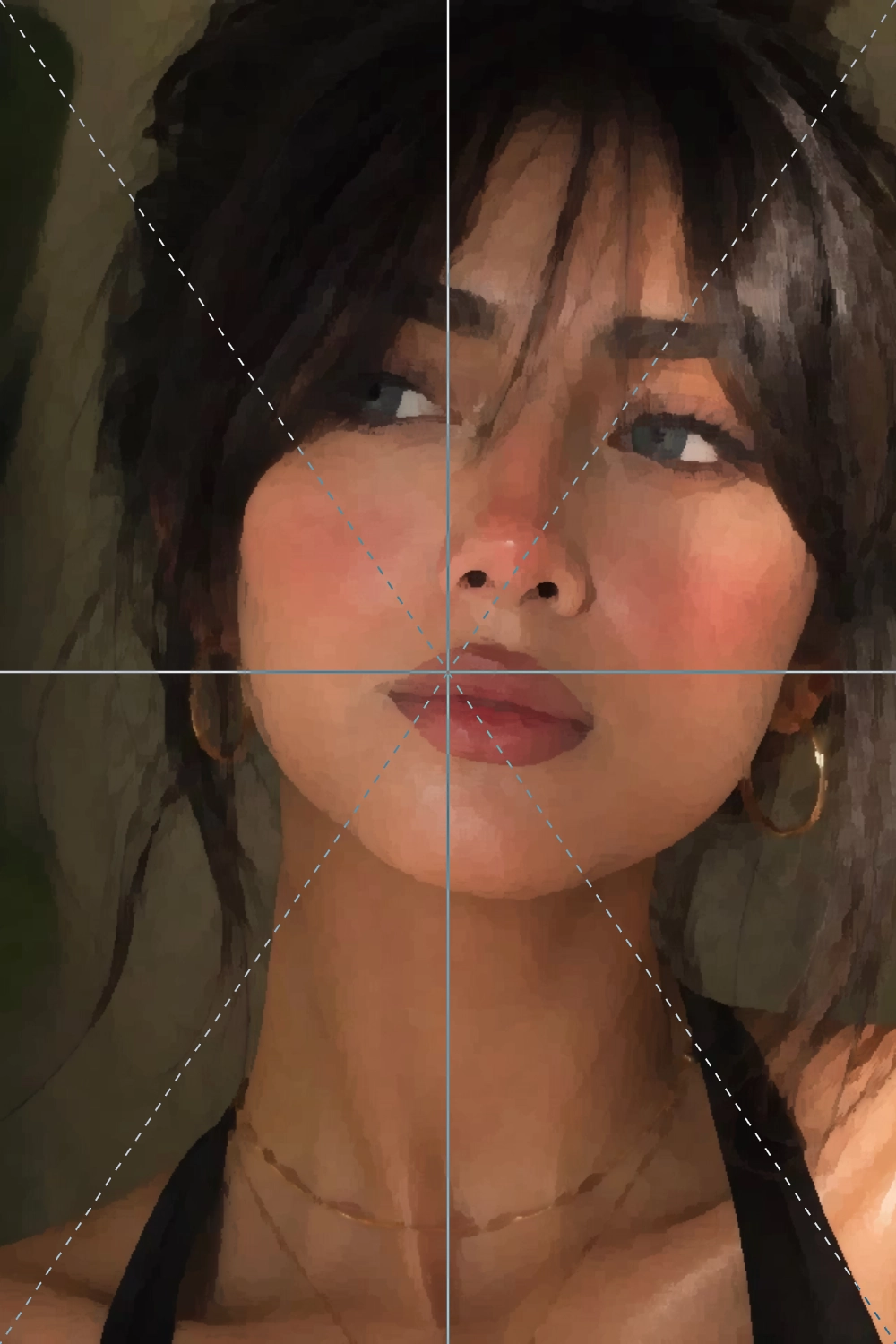
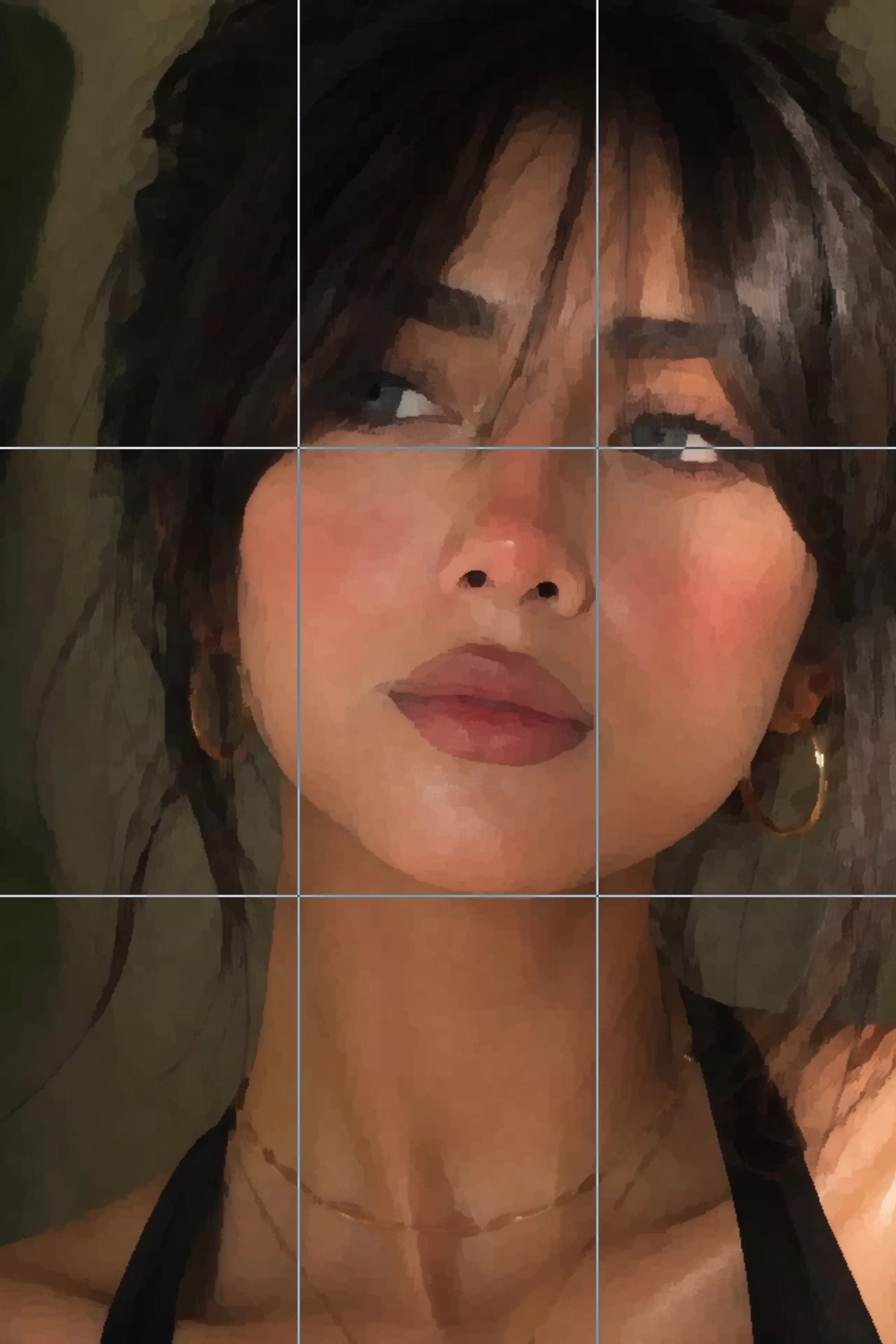
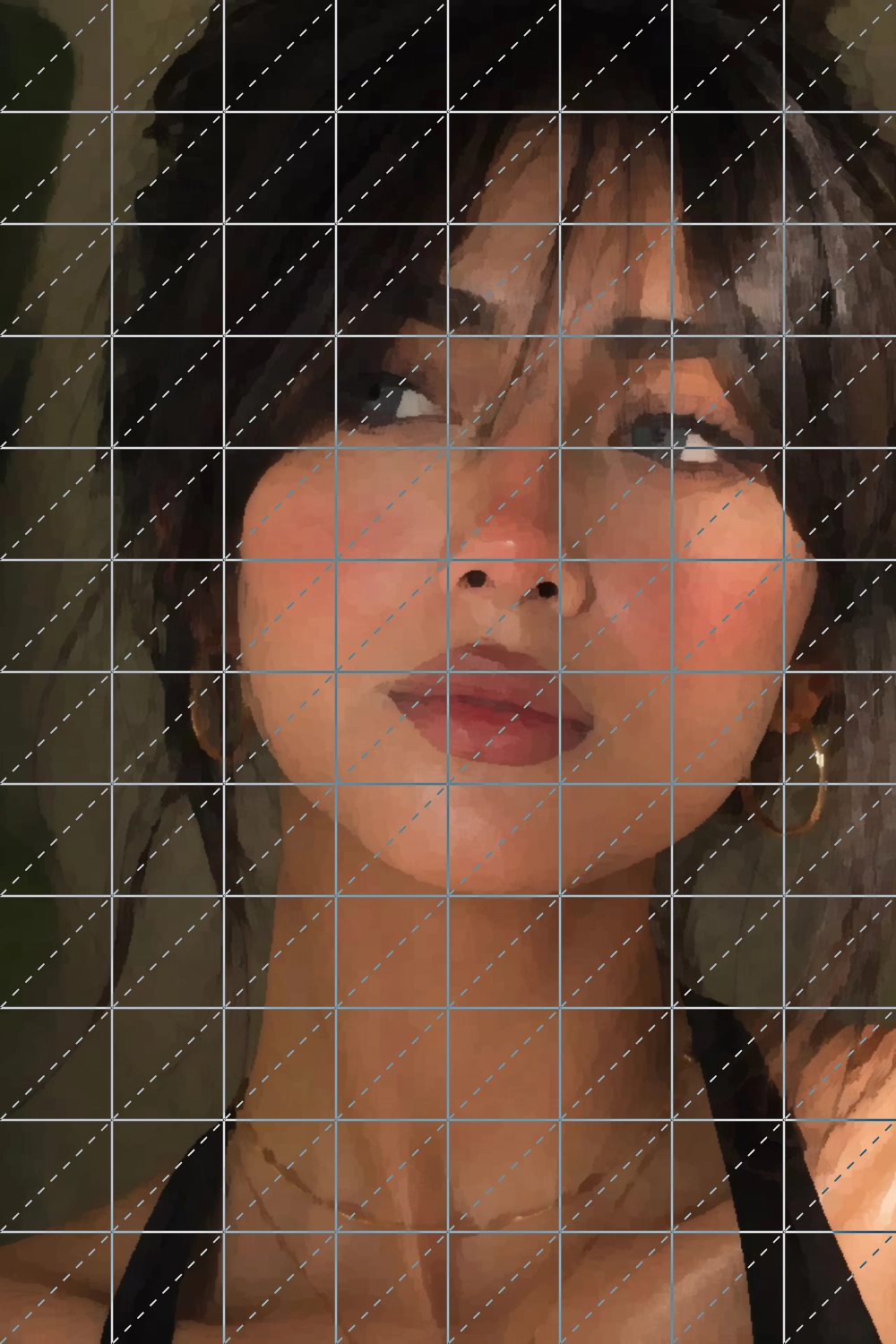
Every drawing grid you'd need, from simple splits to dense layouts, or fully custom setups. Add diagonal lines across the canvas or inside each cell, at 45° or 135°, and trace any reference photo onto your canvas with precision.
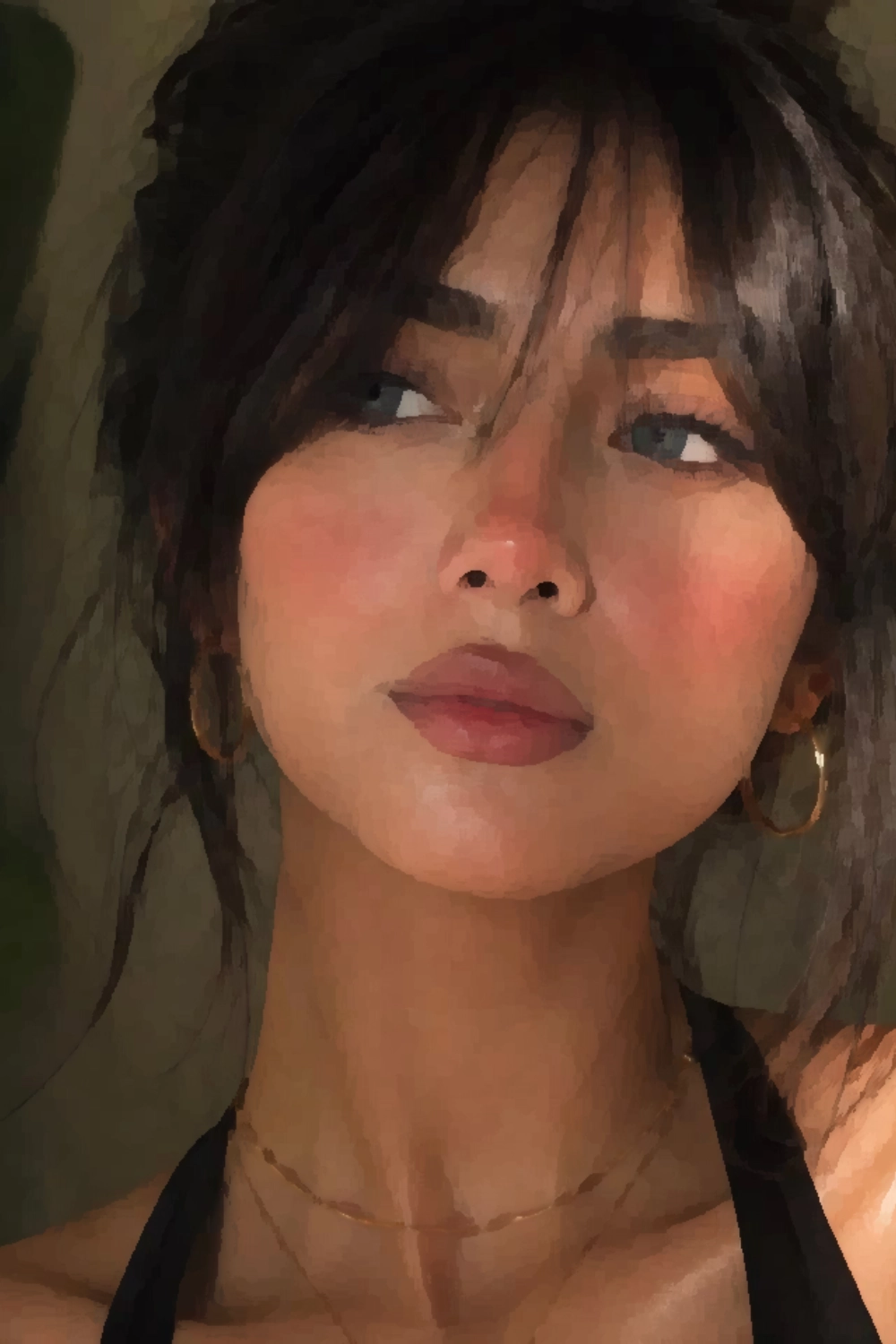
Simplify Color and Details for Painting.
Complex reference photos can overwhelm a blank canvas. Canvasthing uses adaptive color-region smoothing to simplify images into clean shapes while preserving key edges — like a painter blocking in the big forms first. Adjust the intensity from subtle guidance to bold abstraction.
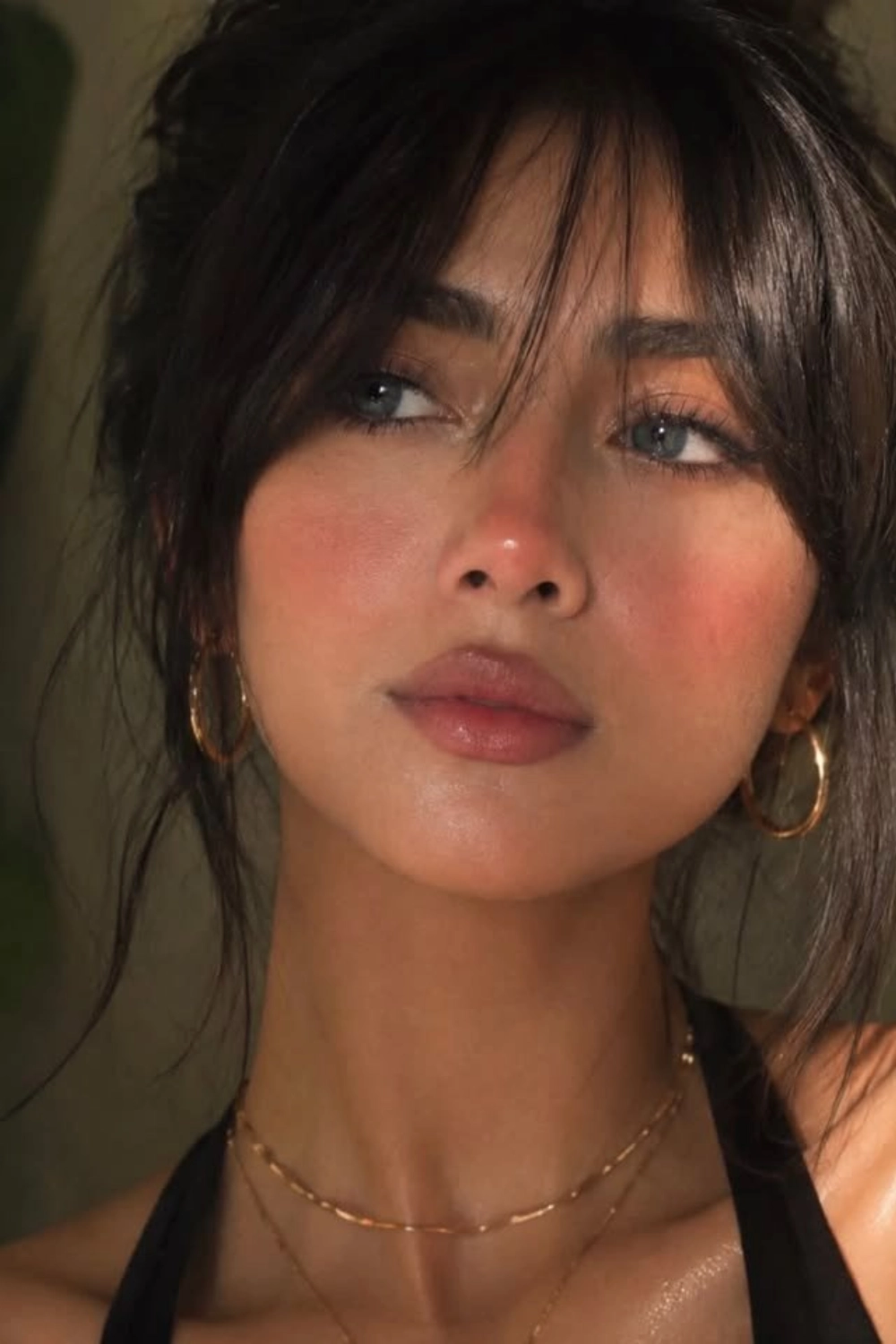
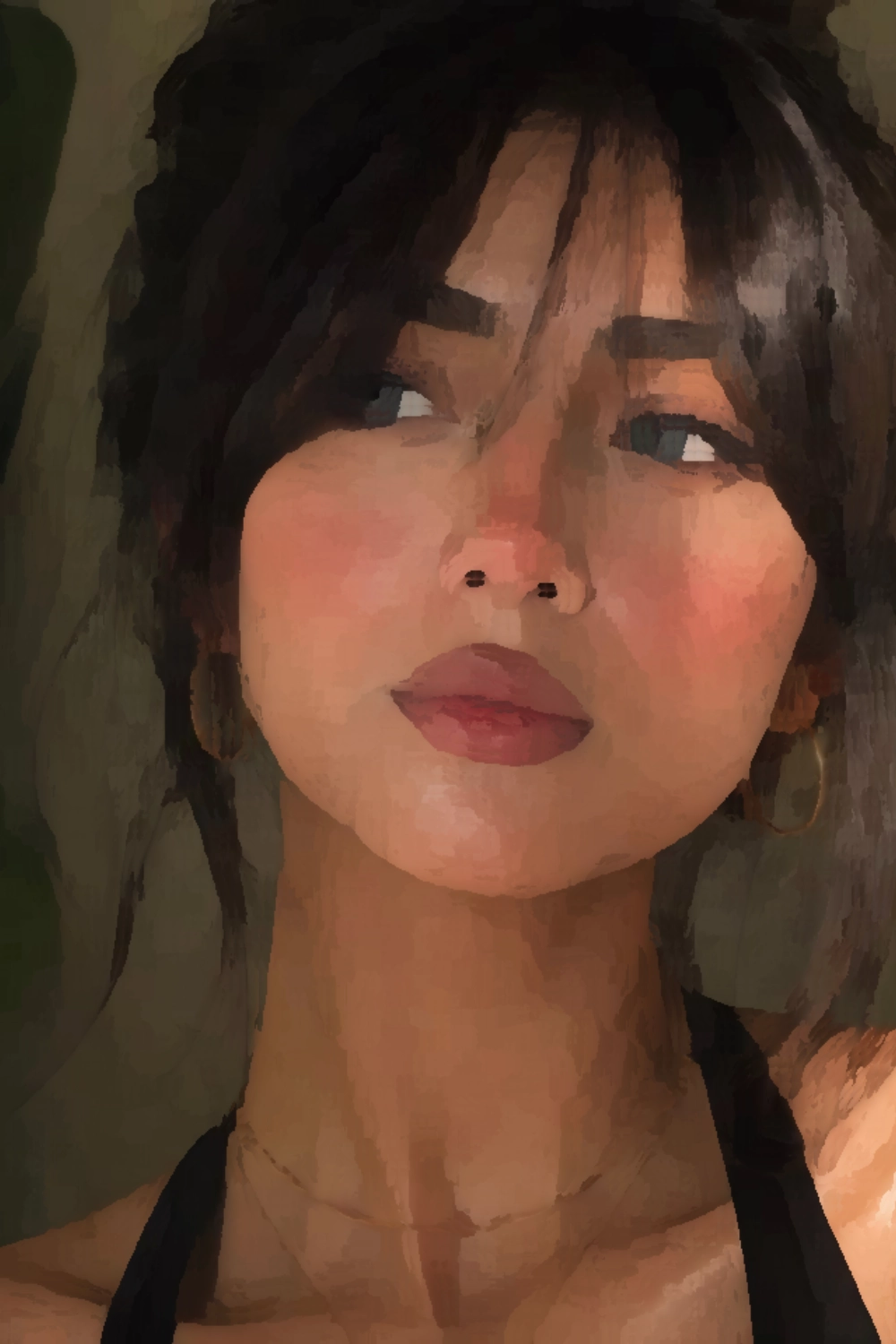
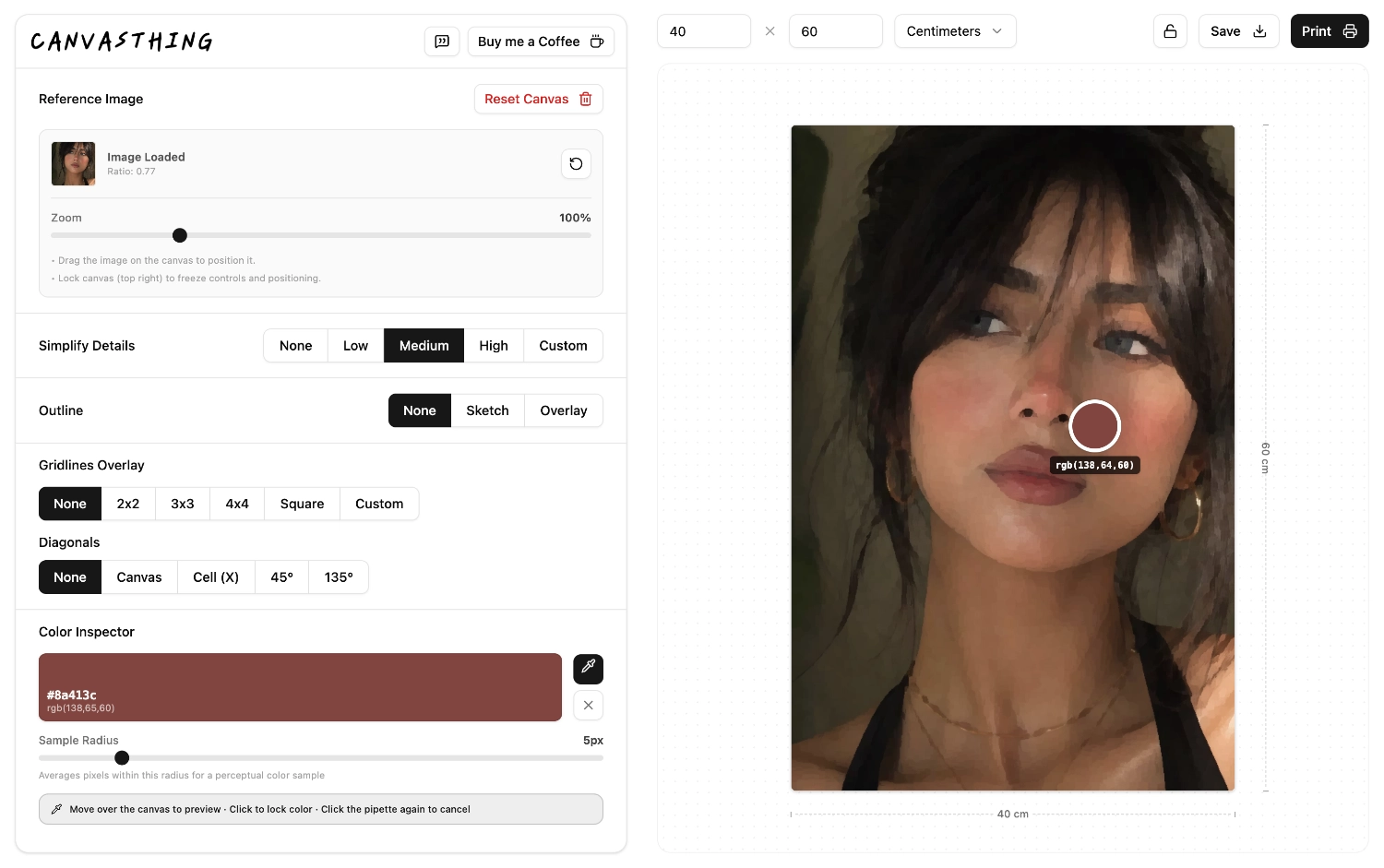
Sketch Outline, Then Inspect colors to paint.
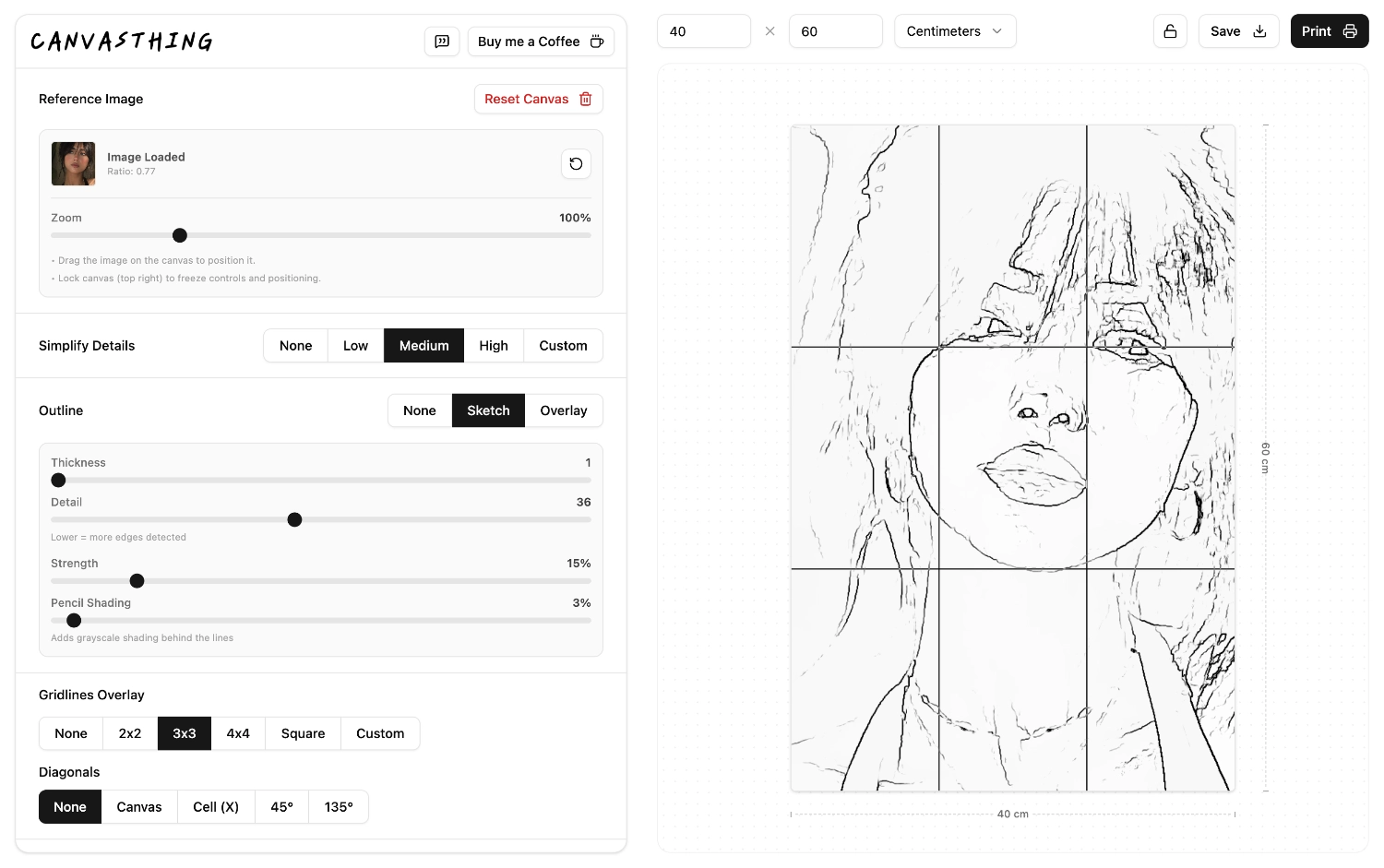
Sketch Outlines
Generate a clean, pencil-style sketch outline from your reference photo, with a live preview as you adjust the sensitivity. Transfer it onto your canvas with the aid of gridlines, or print the outline on its own as a lightweight sketch to trace from.
Color Inspector
Most color-matching tools fall short, and measuring exact ratios for a small dab of paint isn't practical anyway. Pick any point on your reference photo to inspect and enlarge that color, then mix your own paint until it matches by eye.
Popular Canvas Planning Tools
Jump straight into the reference photo workflow you need most: grid a photo, make a line drawing, or plan how the image should fit your canvas size.
Add Grid to Photo
Add rows, columns, square grids, or diagonal guides to a reference photo for drawing.
Photo to Line Drawing
Convert a reference photo into a clean line drawing for tracing, painting, or canvas transfer.
Canvas Size Planner
Set real canvas dimensions, fit your photo, and export a prepared painting reference.
Image Filters for Artists
Canvasthing uses real image-processing filters underneath the artist tools: a Kuwahara-style filter for painterly simplification, and Sobel-style edge detection for sketch outlines.
Frequently Asked Questions
An artist assistant app is software that helps you prepare a reference photo for drawing or painting, without creating any art for you. Canvasthing is an artist assistant app built for physical mediums specifically: it turns your reference image into a scaled drawing grid, a simplified color guide, or a sketch outline, so the actual drawing and painting stays entirely yours.
No Advertisements
Canvasthing runs completely ad-free. We use this app ourselves, so cluttering it with ads was never on the table.
No Accounts or Signup
No sign-up, no login, no email required. Every feature works the moment you open the app, right in your browser.
No Generative AI
Every image effect or layer you add, runs on mathematical image processing algorithms. There is zero generative AI involved.