
Add a Grid to a Photo for Drawing
Upload a reference photo and place a drawing grid over it in seconds. Use simple presets, custom rows and columns, square-size grids, and diagonal guides to transfer your image onto a canvas, panel, wall, or sheet of paper. No accounts, no ads, completely free.
Rows, Columns, or Squares
Choose a quick grid preset, enter custom rows and columns, or set the physical size of each square.
Optional Diagonals
Add diagonal guides across the canvas or inside each cell when angles and symmetry need extra checking.
Save or Print
Export the gridded image as a PNG or print it with your active grid, outline, and simplification layers included.
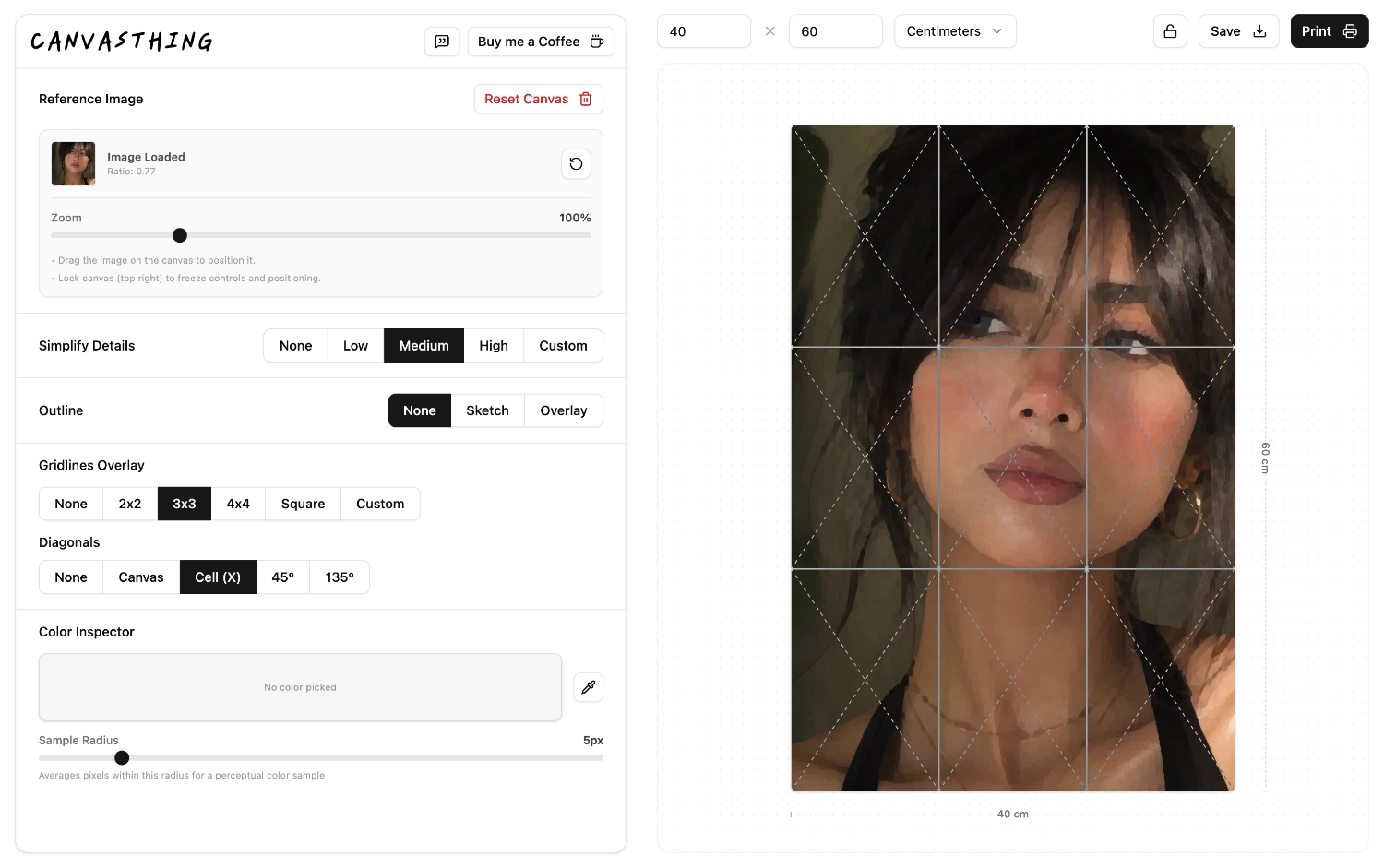
A Grid Overlay Built for Artists
A generic photo grid divides pixels. Canvasthing starts with the size of your actual surface, then lets you place the reference image inside that space before adding the grid. That makes the overlay useful for drawing by hand, not just decorating an image.
Real Surface Size
Set the drawing surface in centimeters or inches before you build the grid.
Transfer by Hand
Copy one cell at a time to keep proportions accurate without guessing the whole image.
Works with Outlines
Generate a line drawing first, then place the grid over the cleaner outline for easier tracing.
Frequently Asked Questions
- Add grids to photos without installing design software.
- Combine grids, sketch outlines, and simplification in one export.
Upload your reference photo, enter the real size of your drawing surface, then choose a grid preset or custom rows and columns. Canvasthing places the grid over the photo instantly, so you can save or print a drawing-ready reference.