
Kuwahara Filter Online
Apply a Kuwahara filter to a photo online and turn busy detail into cleaner painterly color regions. Canvasthing uses this edge-preserving filter to simplify reference photos for artists, so you can block in a painting from larger shapes instead of chasing every pixel. No accounts, no ads, completely free.

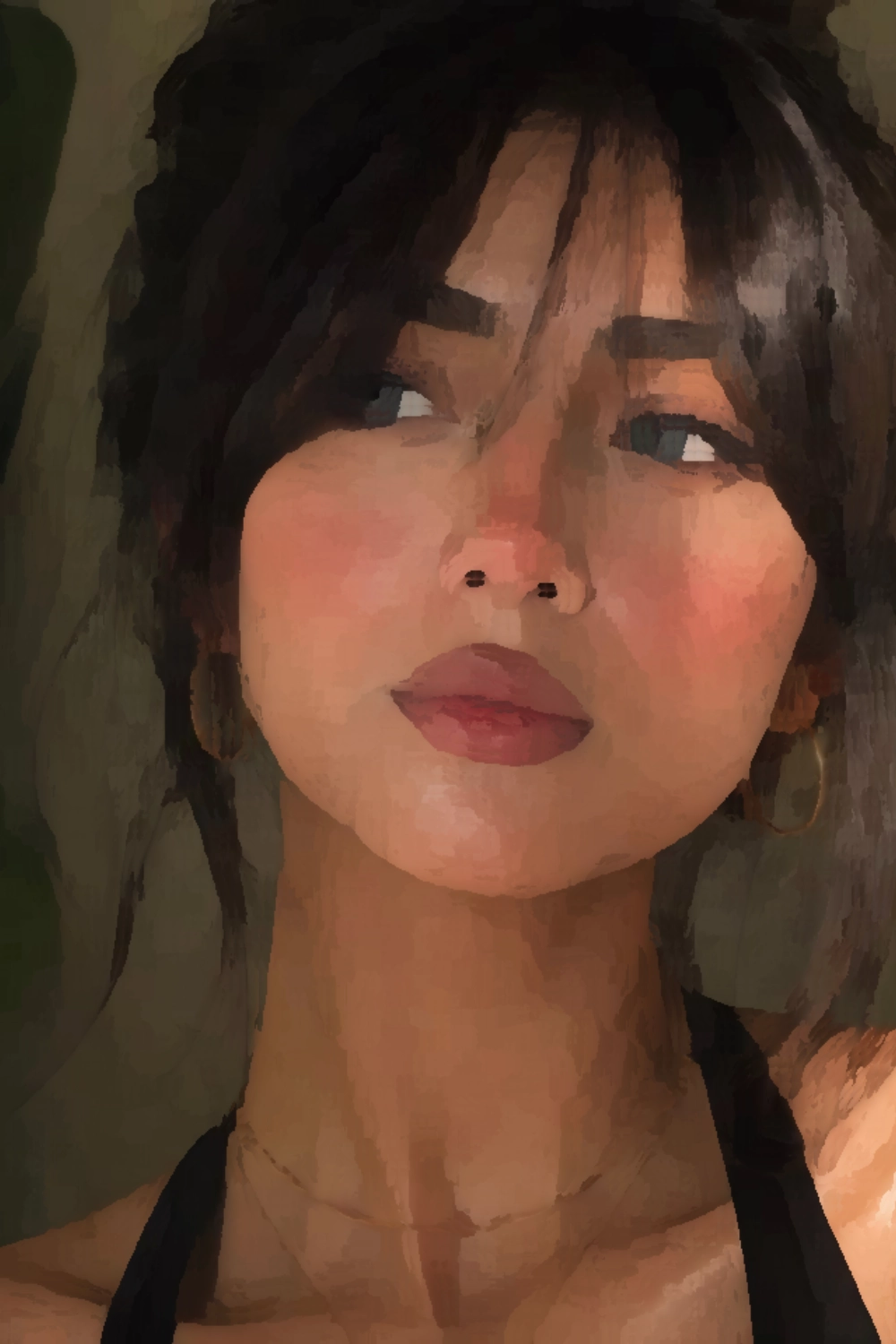
Edge-Preserving Smoothing
Smooths color regions without turning the whole image into a soft blur.
Radius and Strength
Use Custom mode to control the Kuwahara filter radius and the blend strength.
Painting Reference
Use the filtered image as a simplified color map before painting.
Why Use a Kuwahara Filter for Painting?
A normal blur destroys edges. A Kuwahara filter is useful because it keeps stronger boundaries while merging small, noisy variations inside each area. For painters, that means the filtered photo can read like a first block-in: fewer shapes, simpler colors, and less visual clutter.
- Simplifies grass, hair, fabric, skin texture, and background noise.
- Keeps major edges readable for drawing and canvas transfer.
- Helps you see large color masses before adding detail.
- Runs in your browser with live preview through WebGL.
Frequently Asked Questions
A Kuwahara filter is an edge-preserving smoothing filter. Instead of blurring everything evenly, it smooths areas of similar color while trying to keep strong edges visible. That makes it useful for painterly photo effects and simplified painting references.